National ID Correction: How to Fix Wrong Information (2026 Guide)

A wrong name, birthdate, address, or civil status on your Philippine National ID can cause problems when your details need to match your birth certificate, passport, bank records, or other government documents. The good news is that you can ask to correct your PhilSys information without registering for a new National ID.

In this guide, you will learn how to correct wrong National ID information, where to submit the request, what documents you may need, whether you have to pay a fee, and what happens to your Digital National ID after the correction.

When Should You Request a Correction?

You can request a correction or update if any of these situations apply to you:

  • Wrong information or clerical errors: Your first name is misspelled, your surname is wrong, your birthdate is incorrect, your address is outdated, or another detail on your physical or Digital National ID is not correct.
  • Change in civil status: You got married and want your National ID information to reflect your new civil status or surname.
  • Damaged or defective card: Your National ID has a peeled photo, damaged QR code, cracked or unreadable PVC card, or a factory defect.

The first two involve changing your personal information. A damaged or defective card is handled as a physical card replacement, so the process can be slightly different at the registration center. PSA states that this type of card replacement is free.

How to Correct Your National ID

To correct or update your information, follow these steps.

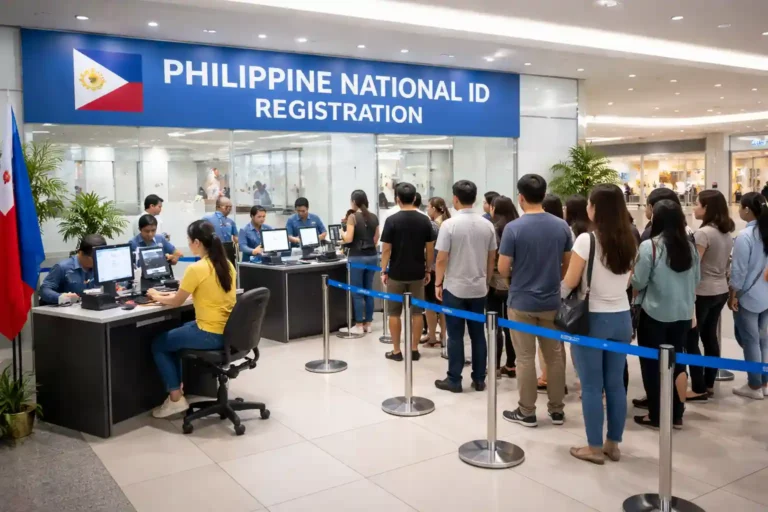
Step 1: Go to a PhilSys Registration Center

  • Search for a PhilSys registration center to find one near you, or use our national ID registration center finder tool.
  • Not every registration center may offer updating or correction services. It is better to call first or contact the PSA hotline at 1388 to confirm that the center handles data correction before you visit.
  • You do not need to register again. Your PhilSys Number (PSN) is permanent and stays the same even when your personal information is corrected.

Step 2: Request a Data Update Form

Ask the registration officer for a Data Update Form, also called a transaction form. Fill it out carefully and clearly state the information you want to change. This may include your name, surname, birthdate, address, or civil status.

Step 3: Prepare and Submit Your Supporting Documents

Bring the required documents, including the originals and photocopies. The documents you need depend on the correction you are requesting.

  • Wrong name or birthdate: PSA Birth Certificate
  • Surname change after marriage: PSA Marriage Certificate
  • Address change: A barangay clearance, utility bill, or another document that proves your new address

The registration officer will check your documents before the correction is processed.

Step 4: Biometric Verification

  • PSA staff may verify your identity using your photo, fingerprints, and iris scan if needed.
  • This helps confirm that you are the person connected to the PhilSys Number before your information is changed.

Step 5: Submit Your Old Physical ID If Needed

  • If you need a replacement physical card because your old National ID has incorrect printed information or is damaged, PSA staff may collect the old card as part of the replacement process.

Step 6: Wait for Processing

  • PSA will review your documents before approving the correction. There is no single official processing time published for every correction request, so the waiting period can differ from one center to another.
  • Once the correction is completed, you will be informed about your updated National ID. While waiting for a corrected physical card, you can continue using your Digital National ID if it is already available to you.
  • If you have already verified your eGovPH account, your Digital National ID may already be available. If your account still needs verification, the process can take around 1 to 7 days, depending on how long the verification takes.

How Much Does This Cost?

Correcting your personal information, such as your name spelling, birthdate, address, or civil status, is free. Replacing a physical National ID because of a peeled-off photo, damaged QR code, cracked PVC card, or factory defect is also stated by PSA to be free. PSA does not publish a fee schedule for this type of replacement.

If a registration center asks you to pay for a correction or replacement that should be free, confirm the charge with PSA first through [email protected] or hotline 1388. This is different from a lost or stolen National ID, which follows a separate replacement process.

If the Error Is on Your Birth Certificate, Not Just Your ID

If the wrong information is also printed on your PSA birth certificate, you should normally correct the birth certificate first. PhilSys uses official civil registry information when updating your records, so correcting the source document can be important before updating your National ID. The process depends on the type of error.

  • RA 9048 allows certain simple clerical or typographical errors in civil registry records to be corrected. It also covers some changes involving a first name or nickname.
  • The request can generally be filed with the Local Civil Registrar (LCR) where the birth was registered, without going to court. The usual fees are ₱1,000 for a clerical error correction and ₱3,000 for a first name or nickname change, subject to the applicable rules.
  • RA 10172 covers certain clerical errors involving the day or month of birth or sex. These corrections can generally be filed with the Local Civil Registrar without a court case when the error is simple and does not change the actual facts of the birth.
  • Other changes, such as changing the year of birth, nationality, or civil status, may require a court petition instead of the usual administrative correction process.

After your birth certificate has been corrected through the proper civil registry process, you can bring the corrected PSA document to a PhilSys National ID Registration Center and request an update to your National ID record.

If you cannot afford the filing fee for an RA 9048 or RA 10172 request, ask your barangay about getting a Certificate of Indigency. Depending on the applicable rules, this may allow you to receive the service without paying the usual fee.

What Happens After Your Correction Is Approved?

Once PSA approves your correction, the updated information is added to your PhilSys record. Your Digital National ID in the eGovPH app should eventually show the corrected information after the system updates and syncs. The change may not appear immediately, so give the system some time to update.

If you need a new physical National ID because the information printed on your old card is wrong, the replacement card will go through the normal printing and delivery process. Your PhilSys Number (PSN) does not change. The correction only updates the personal information connected to your existing number.

Watch Out for Fixers

Only request National ID corrections through official PhilSys Registration Centers. Do not give your personal information to an unknown website, social media account, or fixer who promises to correct your National ID faster for a fee.

There is no legitimate shortcut for changing your PhilSys information. If someone claims they can bypass the normal process or guarantee faster approval, verify the offer directly with PSA before giving them your documents or personal information.

Conclusion

Correcting wrong information on your Philippine National ID does not mean you need to register again. You can visit a PhilSys Registration Center, submit a Data Update Form, and provide the documents needed for your specific correction.

Name, birthdate, address, and civil status updates are free, while damaged or defective cards can also be replaced without a fee according to PSA.

If the mistake is also on your PSA birth certificate, correct that record first before asking PhilSys to update your National ID. After your correction is approved, your PSN stays the same, and your Digital National ID should show the updated information after the system syncs.
Frequently Asked Questions

No. You cannot directly edit your official PhilSys record through the eGovPH app.

For changes to your name, birthdate, address, civil status, or other PhilSys information, you need to visit a PhilSys Registration Center that provides updating services.

Visit a PhilSys Registration Center, request and complete a Data Update Form, and submit the required supporting documents for verification.

For example, a PSA Birth Certificate may be required when correcting your name or birthdate. There is no option to directly edit your official PhilSys information online.

No. You cannot directly edit your official National ID information yourself.

Changes to your name, birthdate, address, civil status, or other registered information must be processed through PSA at an appropriate PhilSys Registration Center.

The eGovPH app displays your existing PhilSys information. It does not give you a way to change the official record yourself.

Bring your PSA Marriage Certificate, including the original and a photocopy, to a PhilSys Registration Center that handles updating services.

Ask for a Data Update Form and request a civil status or surname update.

Yes. Correcting demographic information such as your name spelling, birthdate, address, or civil status is free.

No. You do not need to register again.

Your PhilSys Number is permanent, so you only need to request the correction and submit the required documents.

You should correct your PSA Birth Certificate first through the proper civil registry process.

After the birth certificate has been corrected, bring the updated PSA document to a PhilSys Registration Center so your National ID information can be updated to match.

PSA states that replacement of a damaged or defective National ID is free. This includes issues such as a peeled-off photo, damaged QR code, cracked card, or factory defect.

A lost or stolen National ID follows a different process.

Yes. If your Digital National ID is already available, you can continue using it while waiting for your corrected physical card.

The updated information may take some time to appear after your PhilSys record has been changed.

You should bring your PSA Marriage Certificate, both the original and a photocopy, to a PhilSys Registration Center that handles data updates.

Similar Posts

Leave a Reply

Your email address will not be published. Required fields are marked *