National ID Change Status: How to Update Your Record
Quick Answer: For a National ID change status request in the Philippines, such as updating your marital or civil status, visit a PhilSys Registration Center that provides this service. Bring your current PhilID, ePhilID, or Digital National ID and the original supporting document for your situation, such as a PSA-issued marriage certificate, your spouse’s death certificate, or an annotated marriage certificate showing an annulment or declaration of nullity. Complete the required update form at the center.
The service is free, and PSA has confirmed in multiple regional announcements that an updated ID receives a new PhilSys Card Number. You cannot complete this process entirely online.
If you got married, became widowed, or had your marriage annulled or declared void after registering for your National ID, your existing PhilSys record may still show your previous civil status. This guide explains how to change status in your National ID, which requirements and documents you may need, where to apply, and how to avoid scams offering paid online services.
Why Do You Need to Update Your Civil Status?
Your National ID record contains personal information, including your civil status. Keeping this information accurate can help prevent differences between your PhilSys record and other records maintained by government agencies, banks, and service providers.
For example, your records with SSS, PhilHealth, or your bank may need to reflect your updated personal information. A difference between records does not automatically mean a transaction will be rejected, but correcting outdated details can help avoid questions or delays when your information is checked.
Although your printed National ID may not visibly display your marital status, the information remains part of your PhilSys record. If your civil status changes after registration, find out how to update your record through the official process.
Can You Change Your Status in Your National ID Online?
No. PSA has warned the public about misleading social media offers claiming that National ID details can be updated online in exchange for payment. If you are looking for a National ID change status online option, there is no official one for civil status updates.
You must submit your civil status update in person at a designated PhilSys Registration Center that provides the service. An online form, login, or social media message does not replace the required official procedure.
Be careful if a Facebook page, group, or individual promises to change your civil status or speed up your National ID update online for a fee. Do not send money or personal documents to these individuals. Contact the relevant registration center to confirm the available service and requirements before taking action.
What Changes in Civil Status Can You Request?
You may need to change your marital status in your National ID after a major life event. Common situations include:
Each situation requires appropriate supporting documentation. Prepare the documents for your specific case before visiting a registration center.
National ID Change Status Requirements: What Documents Do You Need?
The requirements to change status in a National ID depend on the reason for your request. The following table summarizes the main documents associated with each situation.
Situation | Supporting document |
|---|---|
Getting married | PSA-issued Certificate of Marriage |
Spouse has passed away | PSA-issued Certificate of Death of your spouse |
Marriage annulled or declared void | Annotated PSA Certificate of Marriage showing the relevant legal change |
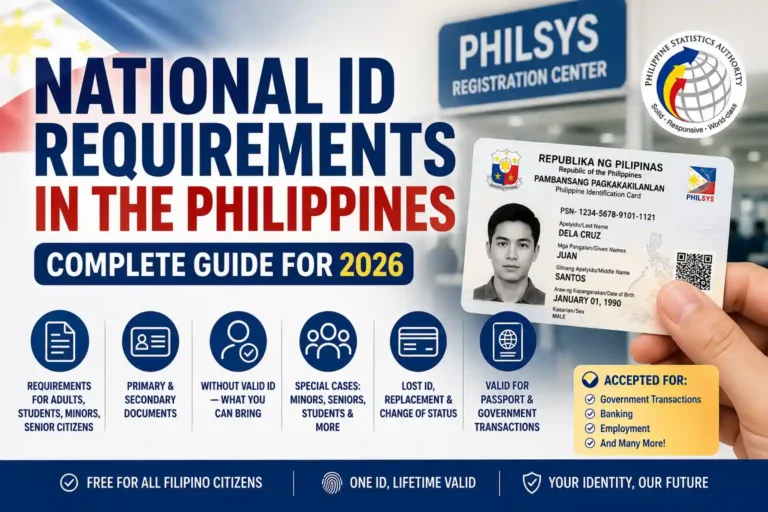
Bring the original supporting document required for your situation, along with your current PhilID, ePhilID, or Digital National ID. Check the current document checklist before travelling because the registration center may require additional documents or a particular document format.
There are also two situations worth checking before preparing your paperwork.
What If You Lost Your PhilID or ePhilID?
If you have lost your PhilID or ePhilID, you may need a notarized Affidavit of Loss when requesting an update. This document explains that your existing ID has been lost.
Prepare the affidavit before visiting if it applies to your situation. The registration center can confirm whether it is required for your specific request and whether you need any additional supporting documents.
Is There an Exception for Changing the Civil Status Field’s Display?
Some PhilSys guidance has referred to changing a civil status entry from “with entry” to “disclosed.” The terminology and availability of this option should be confirmed with PSA before you rely on it.
This is different from changing your civil status to married, widowed, or annulled. Those requests require the appropriate supporting documents for the life event or legal change.
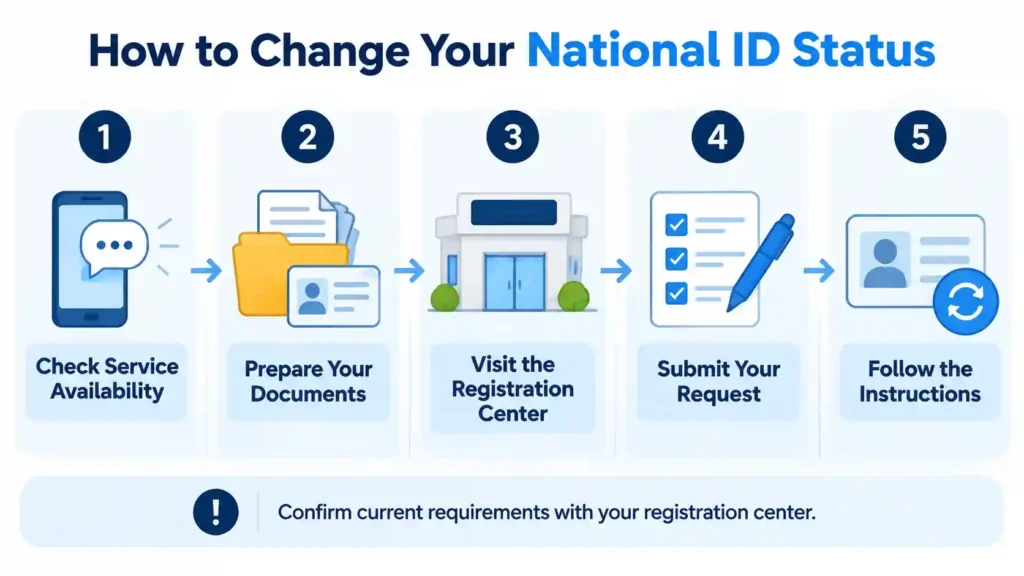
How Do You Change Your Status on Your National ID?
Once you have identified the applicable requirements, follow these steps to request a change to your civil status record.
Step 1: Check Whether Your Registration Center Offers the Service
Step 2: Prepare Your Documents
Bring your current National ID in whichever format you have: a physical PhilID, paper ePhilID, or Digital National ID. You must also bring the supporting document relevant to your situation, such as:
Check the names and other details on your documents before leaving home. If the information differs between your National ID and supporting records, mention this to the registration staff so they can explain the appropriate procedure.
Step 3: Complete the PhilSys Update Form
Step 4: Visit a PhilSys Registration Center in Person
Step 5: Submit Your Form and Supporting Documents
Step 6: Follow the Instructions for Your Updated ID
Is There a Fee to Change Your Civil Status?
No. PSA provides eligible demographic information updates free of charge, including a National ID change status request for your civil status.
This is important to remember because scammers sometimes charge people for services that the government provides without a fee. You do not need to pay a social media agent to submit a civil status update on your behalf.
If someone asks you to pay an unofficial fee to guarantee or speed up your update, verify the information directly with the registration center before taking any action. Follow the official procedure and pay only authorized fees for services that actually require payment.
What Happens to Your Old National ID After a Status Change?
After your civil status update is processed, follow PSA’s instructions regarding your previous National ID. PSA regional guidance has indicated that an ID with outdated information may be marked invalid, including by punching a hole in a physical card.
Do not assume that your old card remains valid for every transaction after your record has been updated. Ask the registration staff whether you should surrender, retain, or have your previous card marked.
Use your updated ID information when completing transactions that require your current details. Keeping your records consistent can help reduce confusion when another institution checks your information.
How Long Does a National ID Status Update Take?
Processing time depends on the registration center and its issuance arrangements. Do not assume that every civil status update will be completed on the same day.
Before submitting your request, ask the registration staff for the current estimated waiting time. If you need an updated ID for a transaction, explain your situation and ask what proof of the updated information may be available while you wait.
You can also ask whether an updated ePhilID may be issued after your request is processed. Availability and issuance times may vary by location, so rely on the information provided by your registration center rather than a guaranteed date from an unofficial website.
What If You Also Need to Correct Other National ID Details?
You may discover other mistakes in your National ID record while requesting a civil status change. These could include a misspelled name, an incorrect birthdate, or another personal detail that needs correction.
Tell the registration staff about the additional errors during your visit. Each correction may require separate supporting documents, and the staff can explain whether the requests can be handled together.
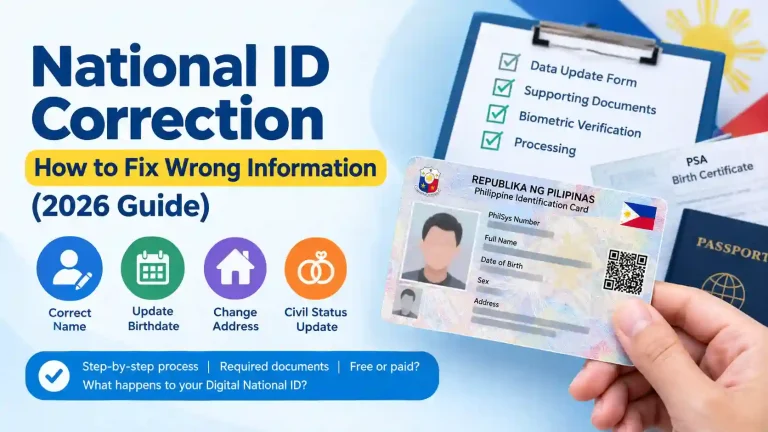
If you also want to change your name and status in your National ID, for example by using your married surname, read our guide on how to change your name on your National ID for information about the name correction process.
Where Can You Get Help With the Required Documents?
The documents you need depend on your circumstances. For example, the name on your marriage certificate may differ from the name recorded on your current National ID, or your civil registry record may need correction before your PhilSys information can be updated.
You can also contact your nearest registration center before visiting. Explain your situation and ask which original documents you should bring. Preparing the right paperwork can help you avoid an unnecessary trip because of missing documents.
Conclusion
A National ID change status request, whether for marriage, widowhood, or annulment, requires an in-person visit to a PhilSys Registration Center that offers the service. PSA provides eligible demographic information updates free of charge, but you must bring the appropriate supporting documents and follow the required process. Social media offers promising paid online updates are not a substitute for the official procedure.
Bring your current National ID and the supporting document for your situation, whether it is a marriage certificate, your spouse’s death certificate, or an annotated marriage certificate showing an annulment or declaration of nullity. After your request is processed, follow the registration center’s instructions for receiving your updated ID information and handling your previous card.
Keeping your records accurate can help prevent problems when other institutions check your personal details. Confirm the requirements with your registration center before travelling, and avoid paying unofficial agents for a service that PSA provides free of charge.